
Mechanic invoicing software.
Job and invoicing software for Australian workshops. Quote, book, work, invoice — all on the same job card. Review the invoice before sending.
- ONE SCREEN
Quote, job, invoice live on the same record. Convert in one click.
- AUDIT TRAIL
Every invoice edit, status change, and payment is timestamped and attributed to a user.
- GST INC
GST-inclusive pricing supported (one toggle). AU/NZ-native.
- LIVE MARGIN
Parts margin in dollars and GP% banded green/amber/red on every job card and invoice.
A job card built for the bay.
Each job has the parts, labour, photos, technician notes, and customer contact channel on one screen.Tracked, stock-linked parts deduct when the invoice is sent: from the invoice site's stock with Multi-Site routing enabled, or from workshop stock otherwise.
Quote-to-job conversion preserves every line, every photo, every customer note. No copy-paste.
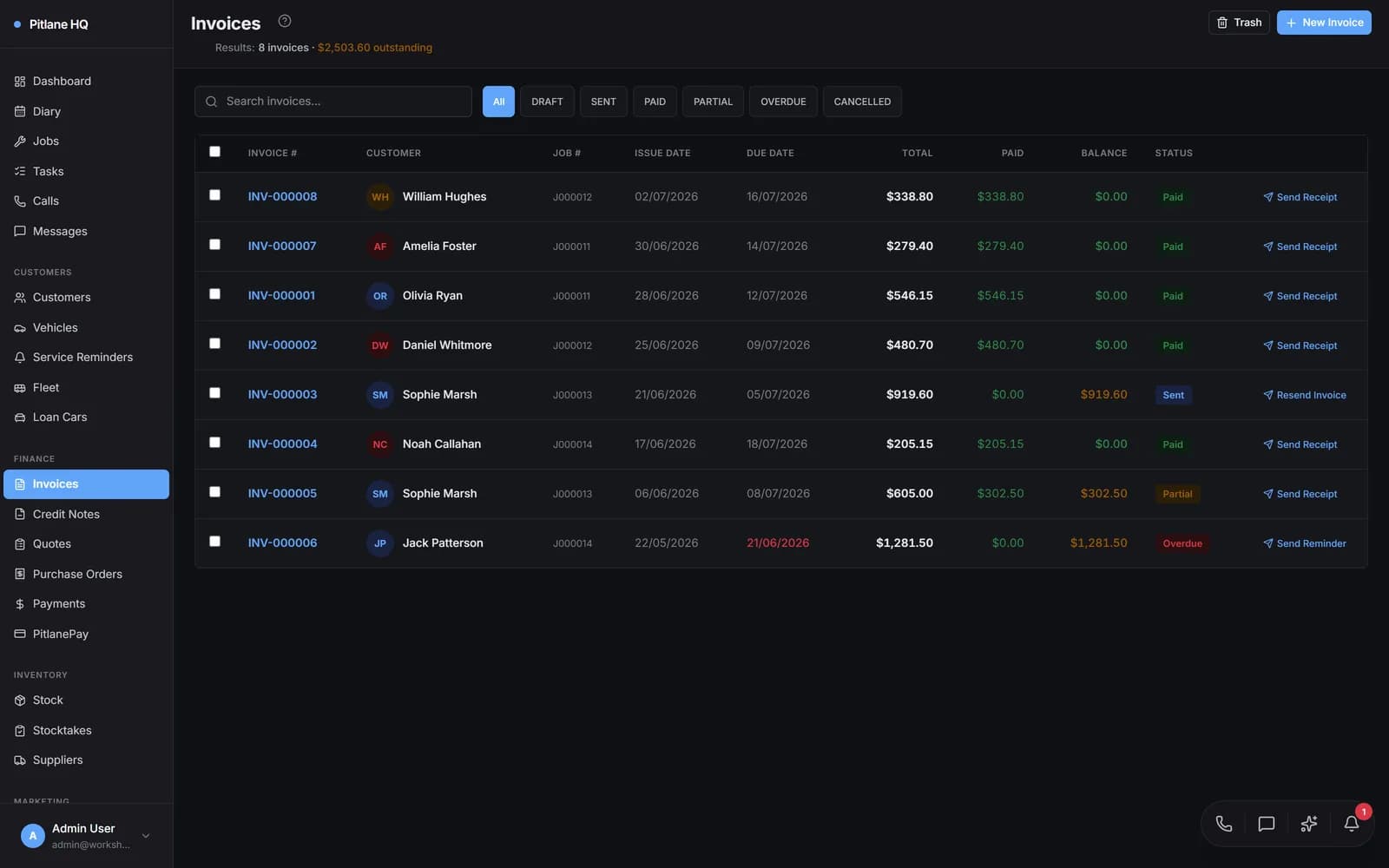
Invoices that get paid.
Branded PDF invoices with EFT bank details when configured and included in your document layout. Finalised invoices can push to Xero or QuickBooks Online once connected; imported invoices are excluded, and pushes pause while records are being linked or the accounting connection is changing.
Take part-payments against any invoice — the balance tracks automatically, the customer gets an emailed receipt every time, and it flips to PAID on the final payment.
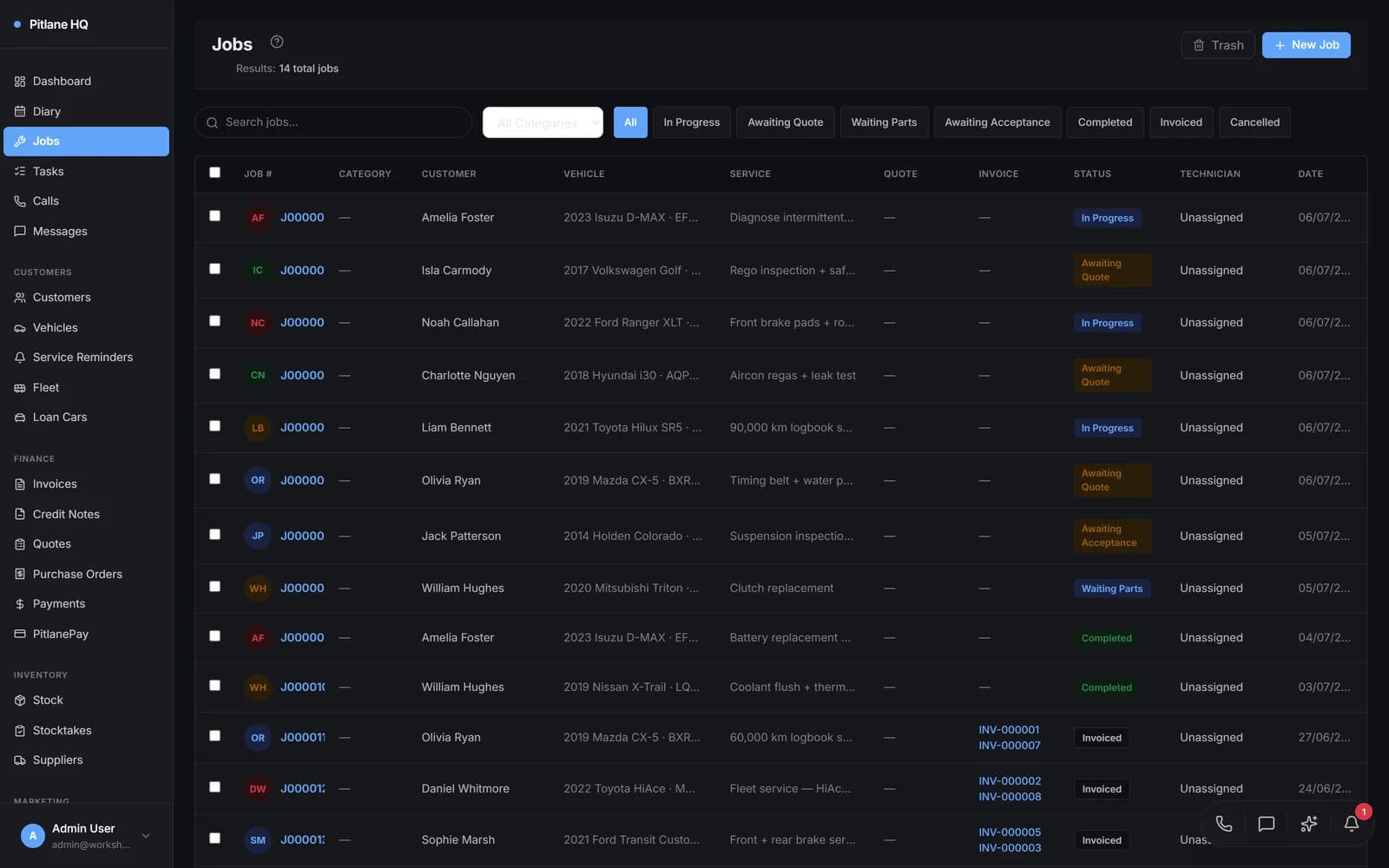
Status from booked to banked.
Job statuses (booked → in progress → ready → invoiced → paid) drive the diary, the customer SMS, and the workshop dashboard. One source of truth across reception, the bays, and accounts.
Chase debtors, square things up.
Overdue invoices send payment reminders by email and SMS, with every reminder logged on a per-invoice timeline so you know exactly who's been chased and when.
Need to reverse a charge? Issue credit notes, apply them against an invoice, refund or void — fully audited, PDF-ready, and synced to your accounting package.
Common questions.
- Can I edit an invoice after it's sent?
- Yes — return it to draft to edit, and every change is audit-logged with the user and a timestamp. Re-finalising re-syncs to Xero. No silent revisions.
- Does it sync to Xero?
- Finalised invoices can push to Xero or QuickBooks Online once connected; imported invoices are excluded, and pushes pause while records are being linked or the accounting connection is changing.
- What about job photos?
- Attach photos directly from a phone or iPad. They sit on the job card, the inspection report, and the customer-facing approval link.
See it on a real job.
Book a 20-minute demo and we'll walk a job from quote to paid on your industry.